Añade texto a un PDF en línea, sin necesidad de subirlo
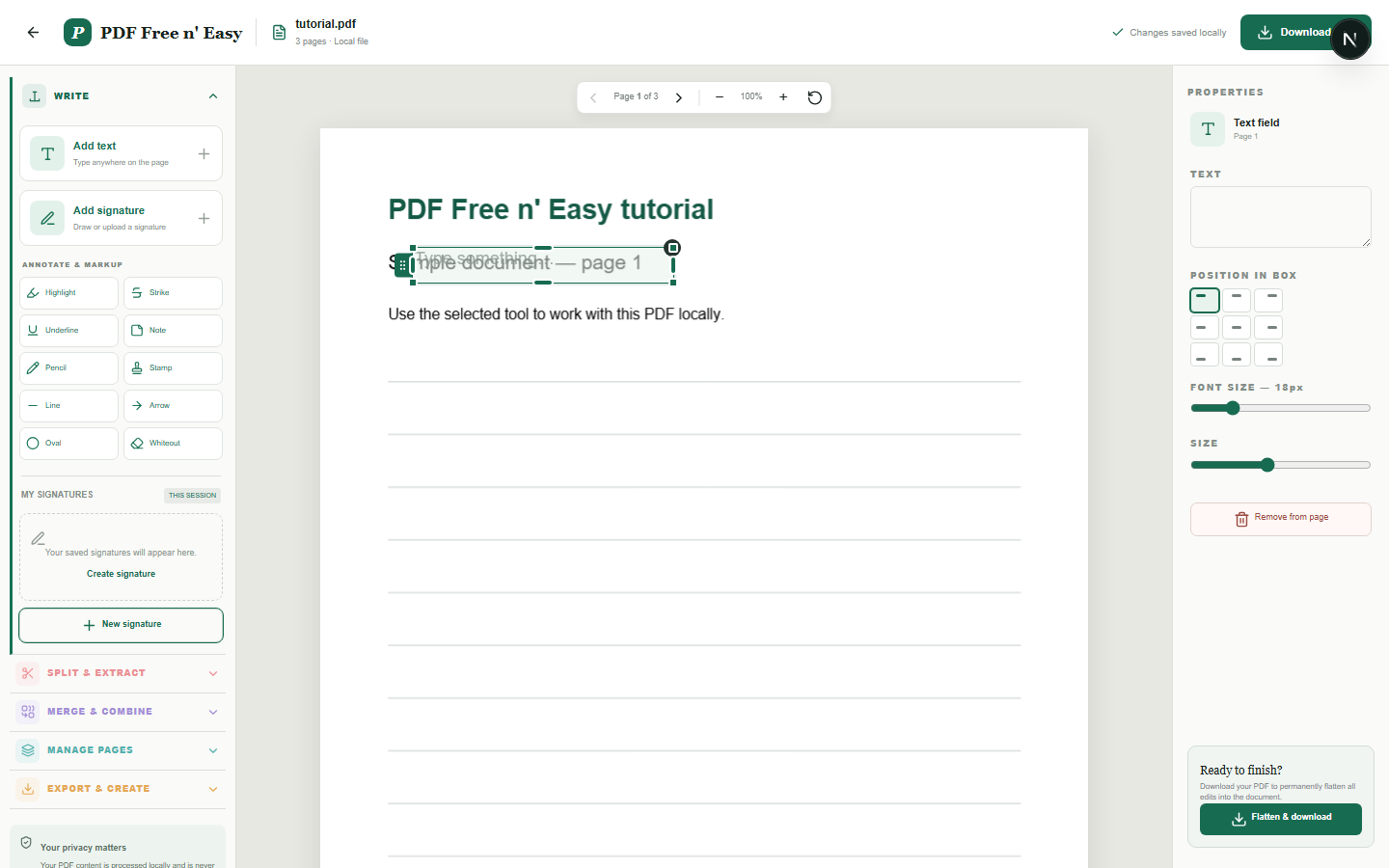
La herramienta añade texto nuevo sobre el PDF. El texto se ajusta automáticamente dentro del cuadro y se puede alinear horizontal y verticalmente antes de la exportación.
Finish the job on your device
- 1
Seleccione un PDF de su dispositivo.
- 2
Escriba dentro del cuadro de texto y ajuste su tamaño y alineación.
- 3
Colocar el cuadro en su posición y aplanar el PDF.
Clear expectations before you begin
- Agrega texto nuevo; no identifica ni reemplaza objetos de texto PDF existentes.
- El contenido de su PDF se procesa localmente en su navegador y nunca se nos envía.
Your document stays yours
The editor reads and processes the PDF using code running in your browser. PDF content is not submitted to an application server for processing or storage.
Add text without handing over the document
Your browser renders the PDF, positions the text box and writes the addition into a separate downloadable copy.
- 1SelectChoose a PDF directly from your device.
- 2ProcessThe supported operation runs in this browser tab.
- 3DownloadSave the newly generated result where you choose.
Añade texto a un PDF en línea, sin necesidad de subirlo FAQ
¿Se ajustará el texto a una nueva línea?
Sí. El texto se ajusta automáticamente al llegar al borde derecho de su cuadro.
¿Se puede alinear el texto dentro del recuadro?
Sí. Elija la alineación izquierda, central o derecha y la posición vertical superior, media o inferior.