HOW IT WORKS
在线向 PDF 添加文本——无需上传
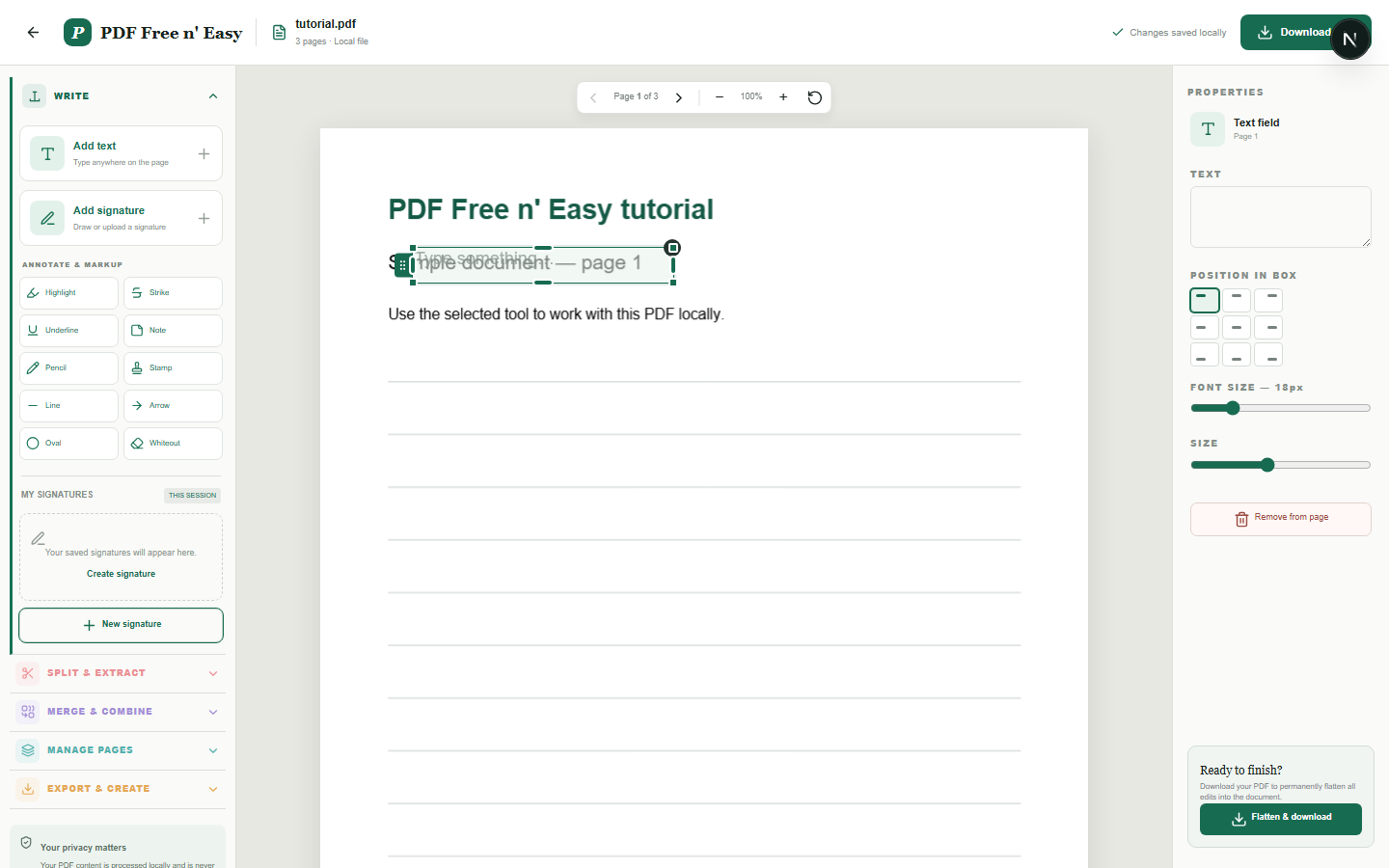
该工具会在 PDF 上添加新文本。文本在框内自动换行,并且可以在导出前进行水平和垂直对齐。
Finish the job on your device
- 1
从设备选择 PDF 文件。
- 2
在文本框内输入文字,并调整其大小和对齐方式。
- 3
将方框移动到指定位置并展平 PDF。
WHAT TO KNOW
Clear expectations before you begin
- 此功能会添加新文本;它不会识别和替换现有的 PDF 文本对象。
- 您的 PDF 内容在您的浏览器中本地处理,绝不会发送给我们。
PRIVACY BY DESIGN
Your document stays yours
The editor reads and processes the PDF using code running in your browser. PDF content is not submitted to an application server for processing or storage.
LOCAL PROCESSING FOR THIS TASK
Add text without handing over the document
Your browser renders the PDF, positions the text box and writes the addition into a separate downloadable copy.
- 1SelectChoose a PDF directly from your device.
- 2ProcessThe supported operation runs in this browser tab.
- 3DownloadSave the newly generated result where you choose.
在线向 PDF 添加文本——无需上传 FAQ
文本会换行吗?
是的。文本到达文本框右边缘时会自动换行。
文本可以在框内对齐吗?
是的。可以选择左对齐、居中对齐或右对齐,以及顶部、中间或底部垂直位置。